If you’re like most teams we talk to, it’s been a while. Maybe search is technically working — results come back, nothing crashes — and so it falls off the optimization list. But “working” and “performing” are two different things.
Search is often the fastest path to purchase for high-intent buyers. Someone who uses your search bar isn’t browsing — they know what they want and they’re ready to act. When search surfaces irrelevant results, misses key terms, or shows products that are out of stock, you add friction at exactly the wrong moment.
That friction is quiet. You don’t always see it happen. You just see lower conversion rates and search sessions that end without a purchase.
You don’t need a full analytics overhaul to get a clearer picture of how search is performing. Start with these four questions:
We work with manufacturers, distributors, and specialty retailers across industries. Search and navigation challenges show up differently depending on catalog complexity, buyer type, and platform — but a few patterns are consistent.
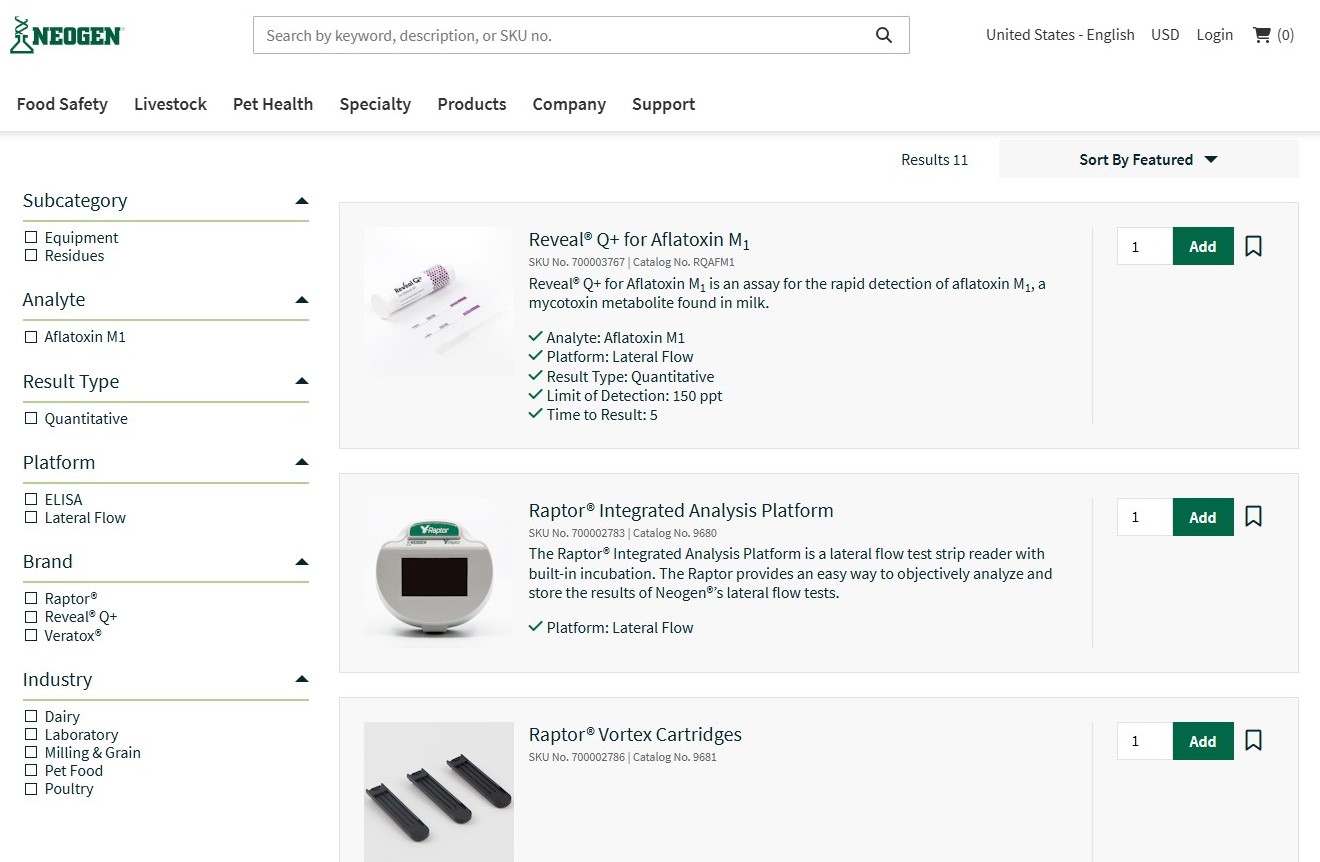
Neogen is a food and animal safety company selling highly specialized diagnostic products. Their dairy residues category — products like aflatoxin M1 test kits and lateral flow platforms — is a strong example of faceted navigation tuned to a professional buyer.
The filter set on this category page includes Subcategory, Analyte, Result Type, Platform, Brand, and Industry. For a lab technician or quality manager searching for a specific compliance test, these attributes are exactly how they think about a purchase. That alignment — between filter structure and buyer decision criteria — is what good faceted navigation looks like.
The opportunity for Neogen, as with many technical catalogs, is in monitoring which filter combinations are most used and whether any combinations lead to empty result sets. With only 11 products in this category, assortment gaps are easy to spot — but in larger categories, that analysis requires deliberate tracking.
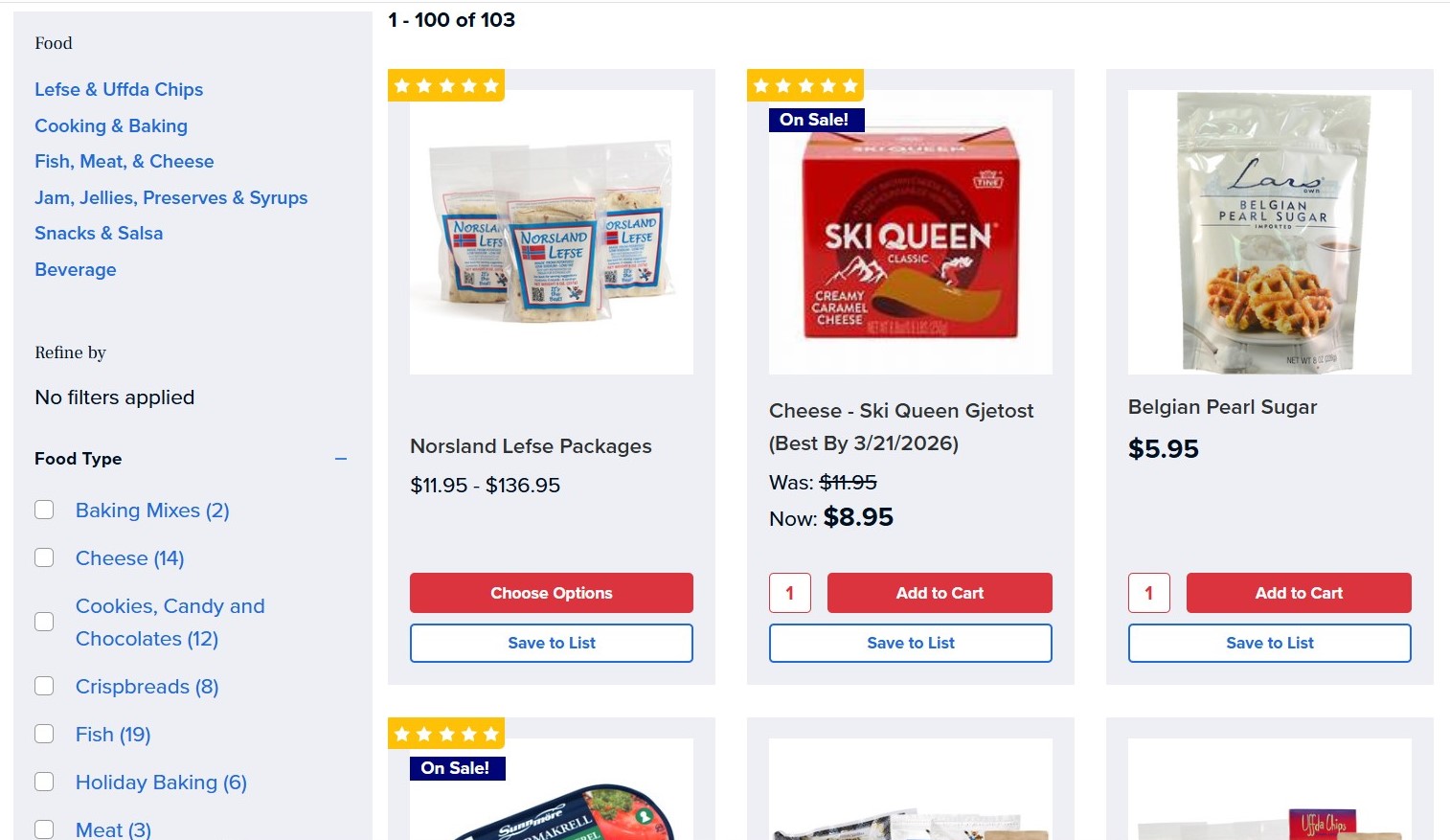
Norsland Lefse is a specialty Scandinavian food retailer — and a Brilliance portfolio company — operating on BigCommerce. Their food catalog has over 100 products spanning fish, cheese, baking mixes, crispbreads, and more.
Their filter set includes Food Type (with 10+ values like Fish, Cheese, and Cookies), plus practical utility filters like Has Free Shipping, Best Sellers, and In Stock. For a gift buyer who arrives without a specific product in mind, these filters do real work. The In Stock filter is particularly valuable — it removes the frustration of selecting a product only to find it unavailable.
One area to watch: a significant portion of the catalog shows “Out of Stock” on the browse page, including multiple products that display prominently before in-stock items. For a buyer filtering by a specific food type, encountering out-of-stock results early in the list creates friction right before a potential purchase. This is one of the quieter search and navigation issues — it’s not a zero-result page, but it has a similar effect.
The question worth asking: Is the default sort order — Featured — surfacing in-stock products first? If not, that’s an easy win.
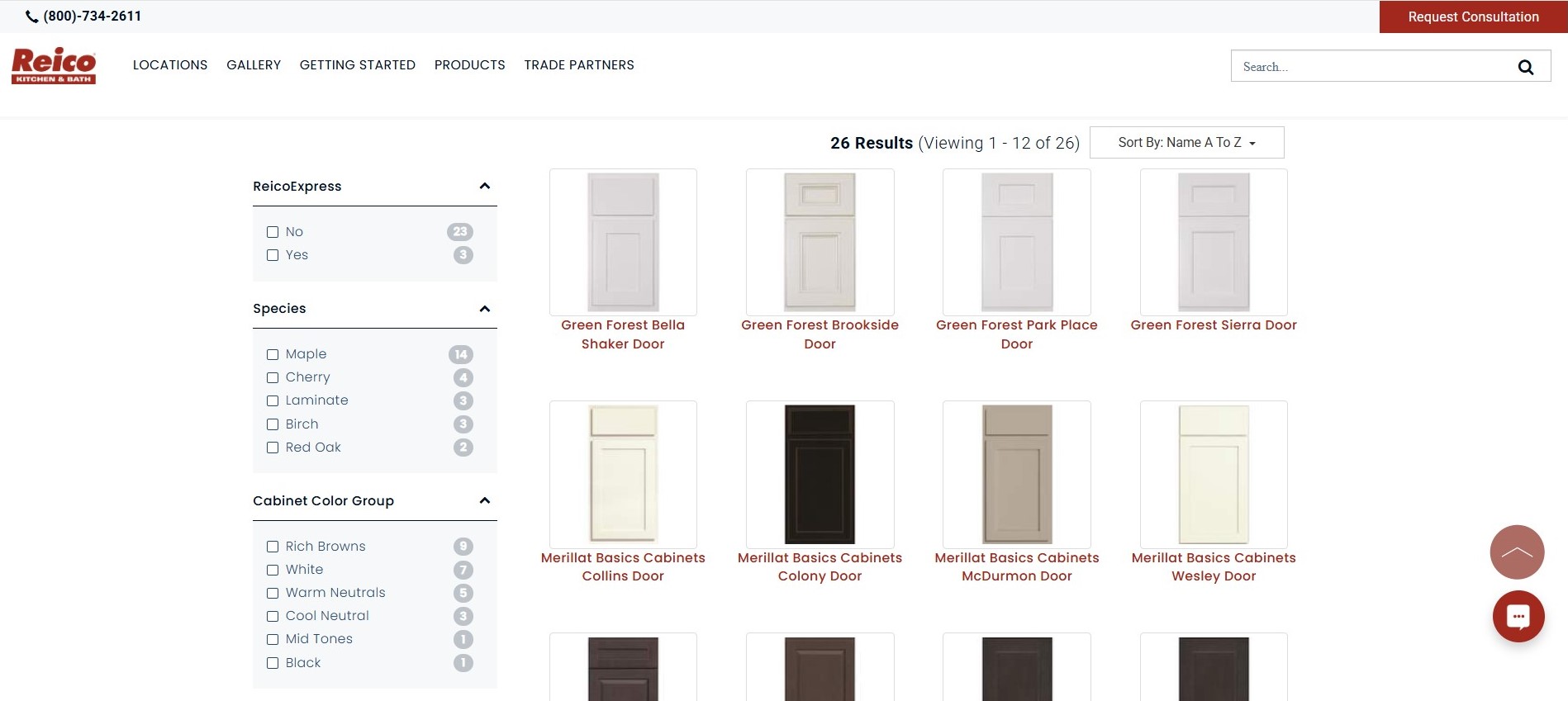
Reico sells cabinetry, countertops, appliances, and fixtures through a showroom model across the Mid-Atlantic and Southeast. Their door styles category shows a well-developed faceted navigation system with filters across eight dimensions: ReicoExpress availability, Species (Maple, Cherry, Birch, Red Oak, Laminate), Cabinet Color Group, Cabinet Door Panel type, Cabinet Door Shape, Cabinet Finish, Vendor, Door Style name, and Brand.
For a buyer making a high-consideration, visual purchase — choosing cabinet doors for a kitchen remodel — this level of filter depth is appropriate. The ability to narrow by Color Group (Rich Browns, White, Warm Neutrals) and then refine by Finish gives a buyer a way to work within their design direction without needing to scroll through 26 results manually.
The area worth examining here is filter path performance. Which combinations — Species + Color Group, for example — lead to consultation requests? Reico’s conversion action is a showroom consultation, not an add-to-cart, so the filter paths that lead to that conversion may look different than a transactional site. Understanding which filter sequences correspond with qualified lead activity is how you optimize for the actual business outcome.
Across all three of these sites, the navigation infrastructure is in place. What separates good search and navigation performance from great is the ongoing attention to how buyers are actually using it — and whether the results they get are helping them buy.
A buyer who uses your search bar and gets irrelevant results doesn’t usually tell you. They leave. A buyer who filters a category and hits a dead end doesn’t file a ticket. They try a competitor.
The good news: most search and navigation audits surface quick wins. Zero-result queries can often be addressed with synonym mapping or catalog updates. Default sort orders can be adjusted. Filter sets can be reordered based on usage data. None of this requires a replatform.
It requires paying attention. When’s the last time you did?

Newsletter Signup
Stay up to date on the latest resources and news!


